
Microsoft Cloud Services Isle of Man
Get more from Microsoft Cloud with expert local support and fully managed solutions.
- Microsoft 365 & Modern Work
- Azure hosting & cloud services
- Backup, recovery & business continuity
- Microsoft Cloud support & management
Can we help?
Fill in your information below
Get more from Microsoft Cloud with expert local support and fully managed solutions.
- Microsoft 365 & Modern Work
- Azure hosting & cloud services
- Backup, recovery & business continuity
- Microsoft Cloud support & management
Noventre: Microsoft Cloud & IT Experts for Isle of Man Businesses
No matter how you work or what your business does, if Microsoft tools are part of your daily operations, don’t go it alone, Noventre is here to help
As a Microsoft Partner, we’re trusted by Isle of Man businesses to deliver Microsoft products and cloud services with expertise and care.
Our expert team delivers tailored solutions across Windows 365,Azure Virtual Desktop, Microsoft 365, Azure hosting, Microsoft Copilot, and secure cloud backup. We’ll assess your current setup then recommend improvements that align with how your business works and where it’s heading.

Simplify operations. Boost productivity. Stay ahead.
Technology That Works for You, Powered by Scalable Cloud Solutions
Our cloud computing solutions are designed to simplify your operations, making them faster, smarter, and more efficient. Gain secure, on-demand access to your business data, applications, and collaboration tools anytime, anywhere.
With expert support and seamless cloud integration, we help your business stay agile, secure, and ready to scale. Discover how our cloud services can transform your business.
Our Services
Technology Tailored to the Way You Work

Windows 365
A fully cloud-based Windows experience so you can access your desktop securely from any device, anywhere.
Find Out More
Azure Virtual Desktop
A flexible, secure, and cost-effective virtual desktop solution for remote and hybrid workforces.
Find Out More
M365
The complete cloud-based productivity suite. Connect, collaborate, and stay secure.
Find Out More
Azure Hosting
Enterprise-grade cloud infrastructure. Scale your applications with secure, high-performance hosting.
Find Out More
CoPilot
AI-powered efficiency that streamlines workflows, generates insights, and automates tasks across M365.
Find Out More
Cloud Backup
Automated, secure cloud backups - protect your business data and ensure fast recovery when it matters.
Find Out MoreBusiness Benefits

Work From Anywhere
Access your desktop, applications, and files securely from any device, no matter where you are.

Enhanced Security
Built-in enterprise-grade security protects your data, emails, and communications from cyber threats.

Seamless Collaboration
Microsoft 365 tools like Teams, SharePoint, and OneDrive make teamwork effortless, whether in the office or remote.

Cost-Effective & Scalable
Only pay for what you need with flexible cloud solutions that grow with your business.

Secure cloud backup and recovery
Minimise downtime and safeguard critical business data with secure cloud backups.

AI-Powered Productivity
Microsoft CoPilot automates tasks, generates insights, and enhances decision-making.

Crossroads Partners with Noventre for Trusted IT Solutions.
We're proud to have been a service provider to Crossroads for over 3 years. Delivering the best and most cost-effective solutions to meet their specific requirements.
Read the Full Story
A Partnership Built on Trust, Performance, and ongoing Support.
Noventre provide CTH Insurance with a reliable and fully managed suite of connectivity and communication services across their Douglas and Ramsey offices.
Read the Full Story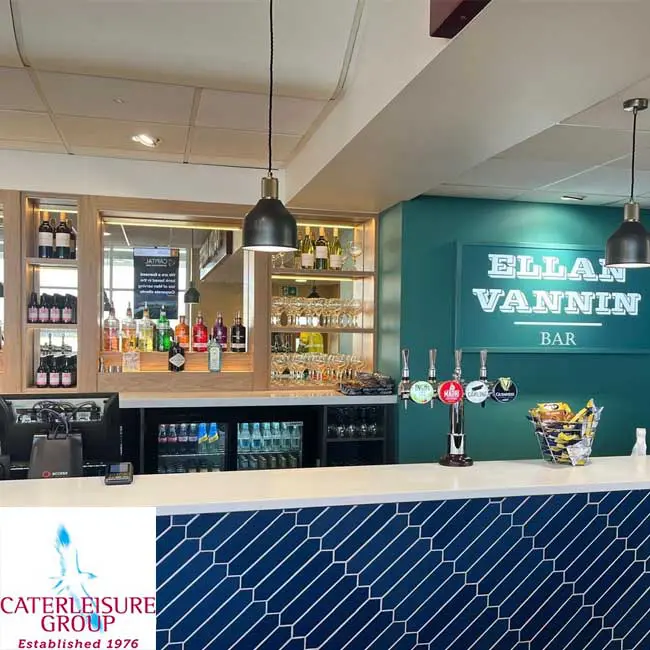
Caterleisure switched their telecoms and broadband services to Noventre.
Noventre provided Caterleisure with a fully managed telephony, network, and connectivity solution to deliver mission critical services that enable efficient day-to-day retail operations.
Read the Full Story
Robinson's operates 24/7/365, handling a very high volume of calls.
Robinson's needed a robust, fast, and reliable phone system backed by a local provider. Noventre’s technical setup and Island-based support team met that requirement and continue to support Robinson’s daily.
Read the Full Story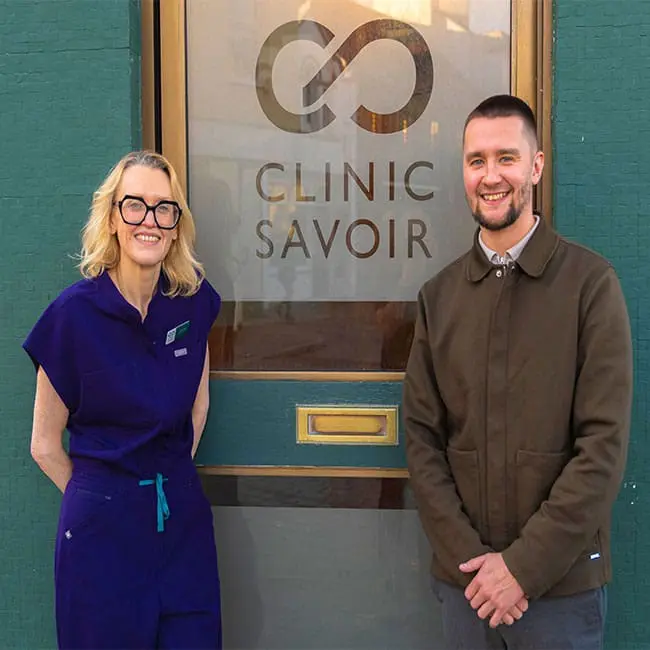
Clinic Savoir is a new private healthcare provider on the Isle of Man..
Noventre worked closely with Clinic Savoir from the outset, providing a secure and fully managed voice and connectivity solution.
Read the Full StoryFrequently Asked Questions
Microsoft Cloud Services include infrastructure, productivity, security, and AI tools delivered through platforms like Microsoft Azure, Microsoft 365 and Windows 365. They help businesses modernise IT infrastructure, enable remote work, and scale operations securely.
See how these solutions support real businesses in our case studies, like Crossroads Isle of Man who streamlined IT across multiple sites.
Microsoft 365 includes:
- Outlook email & Exchange
- Microsoft Teams collaboration
- SharePoint & OneDrive file storage
- Office apps (Word, Excel, PowerPoint)
- Enterprise security and device management
Microsoft 365 enables secure remote work, real-time collaboration, and centralised document management across teams.
Microsoft Cloud platforms use enterprise-grade security, including identity management, encryption, threat protection, and global compliance standards. These capabilities help organisations protect data and applications while meeting regulatory requirements.
See how Noventre’s cloud and network solutions support secure, reliable operations in our Caterleisure Group case study.
Key benefits include:
- Reduced capital IT expenditure
- Predictable subscription pricing
- Improved cybersecurity
- Built-in AI capabilities
- Remote workforce enablement
- Automatic updates and scalability
Microsoft Cloud helps organisations move from reactive IT to proactive digital transformation.
Microsoft Azure is used to host applications, manage virtual machines, store and protect data, enable analytics and machine learning workloads, and build scalable cloud infrastructure.
Noventre has supported businesses with secure cloud infrastructure that underpins operational continuity, read the CTH Insurance case study for scalable, secure connectivity.
Azure Virtual Desktop allows users to securely access a full Windows desktop and applications from any device.
It works by hosting desktops in Azure’s cloud infrastructure, meaning:
- No local server dependency
- Centralised security controls
- Flexible remote access
- Scalable user licensing
It is ideal for hybrid teams, multi-site organisations, and regulated industries.
Cloud migration timelines depend on infrastructure size and complexity.
- Small businesses: typically 2–6 weeks
- Mid-sized organisations: 4–12 weeks
- Larger or regulated environments: phased migration approach
A structured migration plan ensures minimal downtime and full data integrity throughout the transition.
Windows 365 provides a Cloud PC streamed securely from Microsoft’s cloud.
Unlike traditional desktops:
- No local hardware dependency
- Instant provisioning for new users
- Centralised security policies
- Work from any device
This is particularly useful for distributed teams or temporary project staff.
Have another question not answered above? Find Out More Here
Contact Us
Let's Build Your Future Together.

